List of players
How to open the player list
To get to the player list from the team's diary, select the following elements in the left menu: diary -> players -> squad. After clicking on it you will be moved to the player list.
Functions and information on the player list
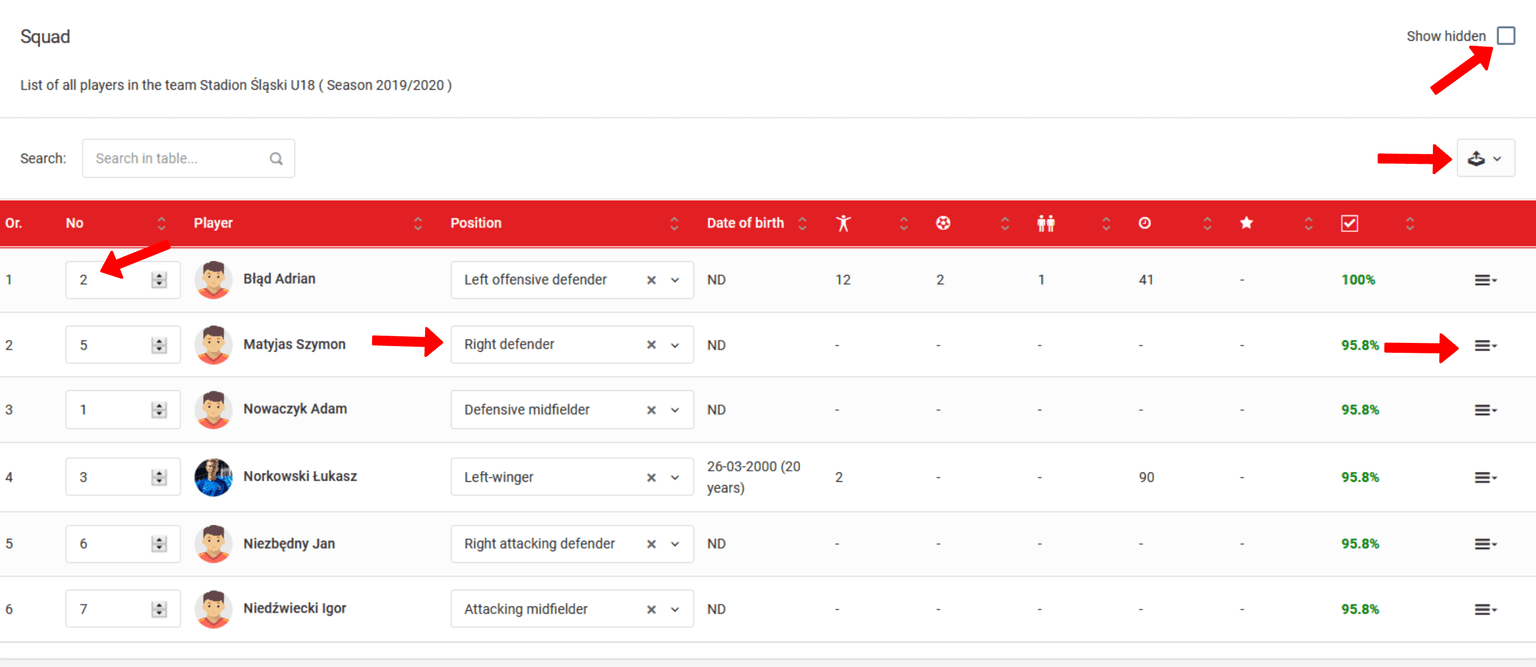
The squad page has several important functions in the system. Here you find the summary statistics of the players' participation in the matches. Moreover, you find a seasonal summary of the player's attendance. Here you also see the player's birth date and profile photo.
Here you also have the possibility to set the number on the player's jersey (first column), to assign the player to a training subgroup (second column), as well as to set his default position on the pitch. In the last column, you will find an icon that opens the function menu for the chosen player. Remember to save each change by clicking the Save button.
Additional options and data export
In the upper right corner of the screen, you will find two important elements. The first one - checkbox show hidden - is used to display all hidden players during a season. For more information about hiding and removing players, read further chapters in this guide.
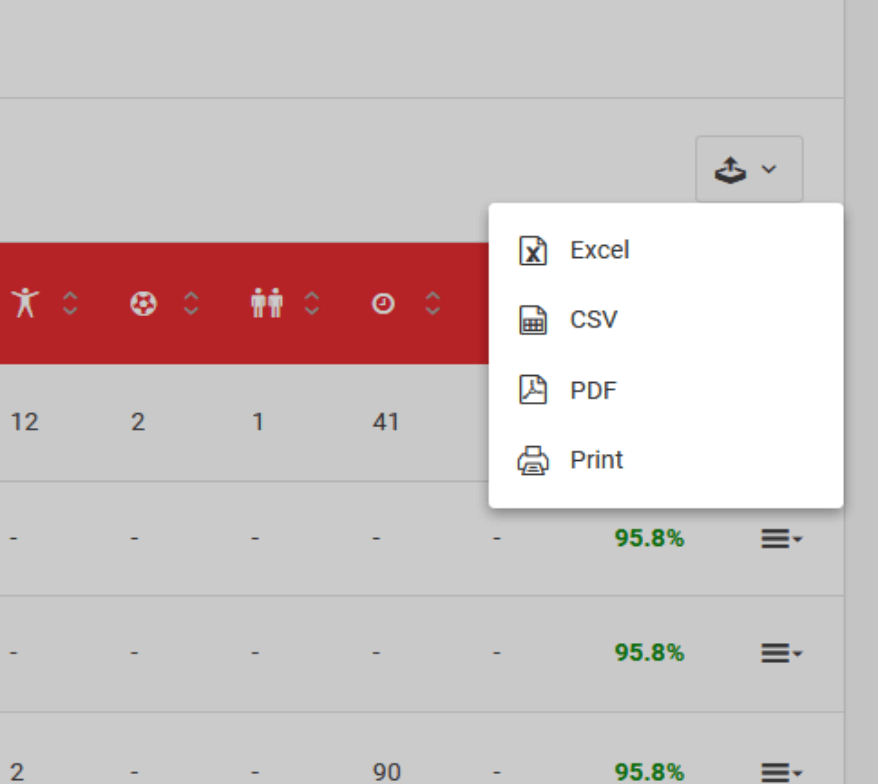
The second element is the icon for exporting the table to an xls, csv, pdf file or its printout. You will find such an icon over almost all tables in the system. It is a quick and convenient solution to the problem of downloading important data to your computer.